The Sony WH-1000XM6 combines wireless listening, active noise cancellation and a foldable design. The useful question is not whether it wins every headphone comparison: it is whether its battery settings, device connections and controls suit your day. This guide explains those trade-offs using Sony’s documentation, then gives you a setup checklist for a phone, laptop and commute.
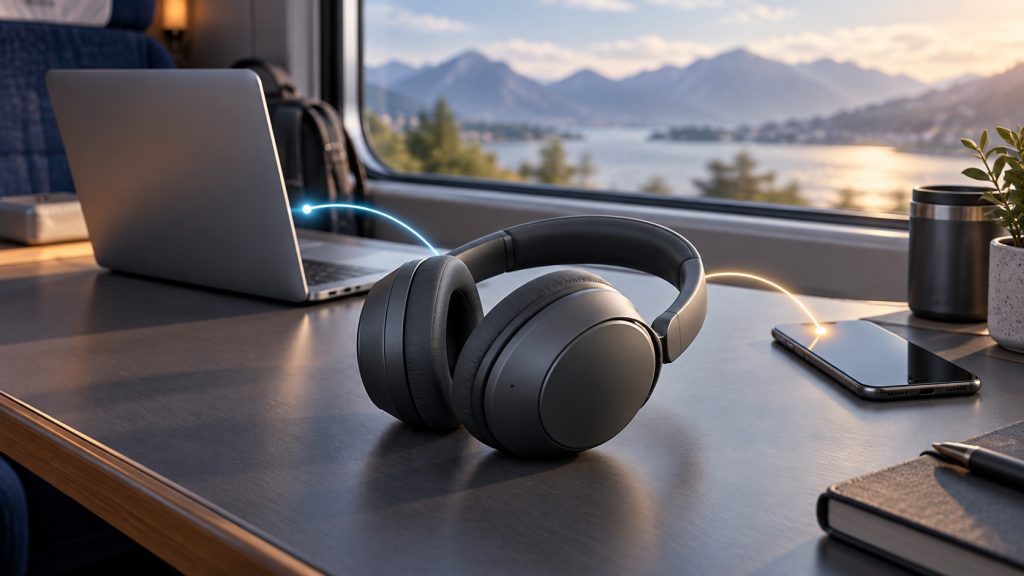
Editorial correction and method: This article was rewritten on October 2, 2026, with AI assistance and an editorial source review. It replaces unsupported superlatives and incorrect battery and noise-cancelling processor claims in the earlier version. This is a documentation-based guide, not a hands-on review or benchmark. Sony’s quoted battery figures are maximums, not measurements by TechPulse.
What the WH-1000XM6 specifications tell you
Sony’s WH-1000XM6 specifications list approximately 254 g of weight and Bluetooth 5.3. The Australian design page describes a folding mechanism, adjustable headband, touch controls and a carrying case with a magnetic closure. These are useful portability features, but weight and padding descriptions cannot establish how comfortable the headphones will feel on your head.
The ANC processor is the HD Noise Cancelling Processor QN3, working with 12 microphones, according to Sony Australia’s launch announcement. A processor specification is not a listening test. This guide makes no claim that the XM6 blocks more noise or sounds better than a competing model.
Battery life: check the codec as well as ANC
The headline battery figure changes with the connection. Sony’s operating-time guide gives these maximum music-playback times:
| Bluetooth codec | ANC or Ambient Sound on | Both off |
|---|---|---|
| AAC, SBC or LC3 | 30 hours | 40 hours |
| LDAC | 26 hours | 36 hours |
Do not read “40 hours” as 40 hours with noise cancellation. Sony also says that equalizer changes, DSEE Extreme, Speak-to-Chat and other settings can shorten runtime. Your use conditions matter.
For a quick top-up, Sony quotes about three hours of playback after three minutes of charging with a compatible USB Power Delivery adapter supplying at least 9 V/2.3 A. Its alternative 5 V/1.5 A adapter figure is about one hour. These are conditional estimates; check your adapter rather than assuming any USB port delivers the faster result. The separate charging guide says a full charge takes roughly 3.5 hours, with variation by conditions.
Choose a connection your devices support
The codec guide lists SBC, AAC and LDAC for Classic Audio music playback, and LC3 for LE Audio. Codec support on the headphones does not add that codec to your phone or computer. Check the source device and the active connection instead of treating an LDAC badge as a universal setting.
Sony says LE Audio requires the Sound Connect sound-quality mode to be set to Low latency; it is unavailable in the factory-default Prioritize Sound Quality mode. Compatible source-device settings may also be necessary. A low-latency mode is not a promise of a specific delay in your game, video editor or meeting app.
The Sony | Sound Connect app can display the active codec, update headset software, adjust the equalizer and change ambient-sound, wearing-detection and Speak-to-Chat settings. Start with a simple configuration, then change one setting at a time so you know what affected the experience.
Set up a phone and laptop with multipoint
Sony’s model-specific multipoint instructions explain how to connect two devices:
- Pair the headphones with each device.
- Connect from the device with Sony | Sound Connect installed.
- Enable Connect to 2 devices simultaneously in the app.
- Connect the second device using its Bluetooth settings.
This lets you switch playback between two connected devices without pairing again. It does not mean two music streams are mixed together. Sony documents that starting playback on the second device switches the sound to that device. If a phone interrupts listening unexpectedly, its notification or operation sounds may be responsible; Sony suggests turning those sounds off or lowering their volume.
Before relying on the setup for work, make your own short check: play audio on the laptop, switch to the phone, then return to the laptop. Confirm that the behavior fits your workflow. This is a test for you to perform, not a test result from TechPulse.
Wired listening and calls have different rules
Sony’s headphone-cable instructions document wired listening through the supplied audio cable. You can listen with the headphones switched off, but noise cancellation requires power. Bluetooth is unavailable while that cable is connected, and wired play/pause and volume changes are made on the playback device.
The cable is not a shortcut to the headset’s Bluetooth microphone. Sony instructs users taking a phone call over that connection to speak into the phone’s microphone. Plan your meeting setup accordingly.
For wireless computer calls, check both speaker and microphone selections in your calling app. Sony’s video-call guide distinguishes calling connections from music-playback connections; names differ by computer and app. Confirm the selected input before your first meeting rather than assuming the music output also selects the microphone.
Fit, noise reduction and weather limits
Noise cancellation is reduction, not silence. Sony’s noise-cancelling explanation says it works mainly on low-frequency sounds such as vehicles and air conditioning, and does not completely cancel noise. Fit and changes in the environment can alter the effect. Keep the external microphones uncovered.
Follow the wearing guide: extend the slider before putting the headphones on, adjust the headband to touch the top of your head, then orient the cups so the pads sit around your ears. If possible, check this with your normal glasses and desk posture before committing to long sessions; published dimensions cannot settle personal fit.
The WH-1000XM6 is not waterproof. Sony’s moisture precautions warn against rain and situations where the headset becomes soaked in sweat. Do not charge wet headphones. A foldable travel design does not make this a weather-resistant sports headset.
Before choosing or keeping a pair
- Check your connection: verify the codec and any LE Audio requirements on your own devices.
- Check your calls: try the actual meeting app, microphone selection and two-device switching you use.
- Check your charging plan: confirm the adapter output and leave margin below the quoted maximum runtime.
- Check personal fit: evaluate cup placement, glasses and headband adjustment under the seller’s applicable trial or return terms.
The XM6’s documented feature set supports several listening workflows, but it cannot answer every preference or compatibility question. Use these checks to decide what matters to you, not an unsupported “best” label. If you are also refining a desk setup, our mechanical keyboard buying guide uses the same approach: choose around your layout, software and everyday requirements.

✍️ Leave a Comment