Android’s first developer-verification phase began September 30, 2026. It does not apply to every Android app everywhere: initial enforcement covers selected app stores, certified devices and four markets. For developers, key task is checking each package’s registration status in right console—not assuming that verified account means every app is registered.
Source check: 2 October 2026. This is a source-based checklist, not an inspection of any developer account. AI tools assisted with drafting; an editor checked current official Google documentation.
Where first phase applies
Google’s rollout announcement names Brazil, Indonesia, Singapore and Thailand, and seven participating stores: Google Play, HONOR App Market, OPPO App Market, Samsung Galaxy Store, Transsion Palm Store, vivo V-Appstore and Xiaomi GetApps. Initial rules concern app installations from those stores on certified Android devices—not every store or every direct download worldwide.
Device scope depends on distribution route. Google’s developer-verification FAQ says Play-distributed apps should be registered across form factors; for apps distributed outside Play, first-phase enforcement applies to mobile phones and tablets in selected regions. It says other stores and direct sideloading are outside this first phase, but recommends preparing before planned global expansion in 2027. Treat that as a staged rollout, not a permanent exemption.
Account verification is not app registration
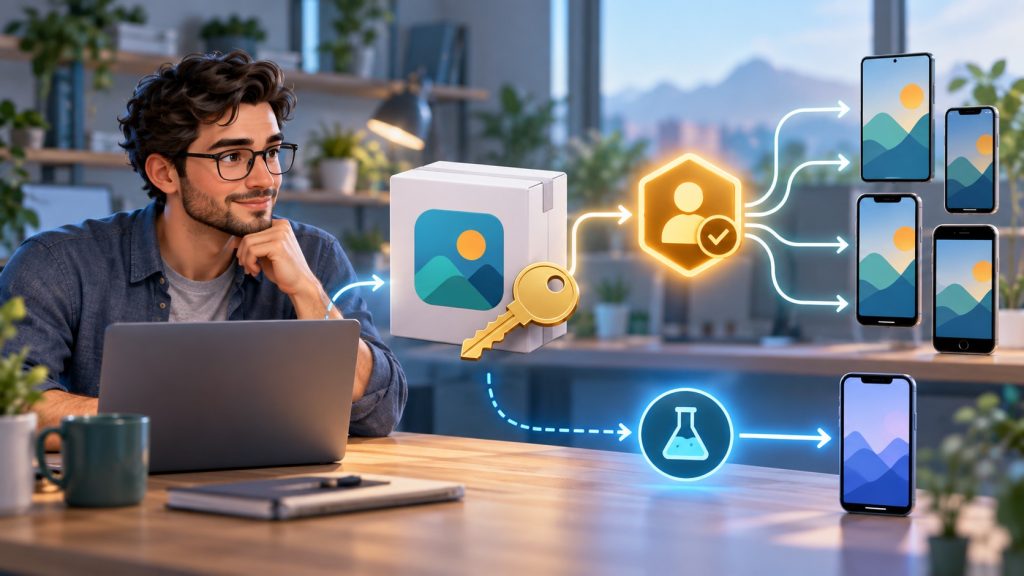
Google links verified developer identity to app package names and signing keys. A verified account can still have an app whose package status is incomplete. Check the status beside each app, then resolve any missing package or key registration before your next release.
This process confirms who owns the app identity; Google’s developer-console help page says it does not review app content or where the app came from. Registration is not a code audit, security certification or guarantee that app is safe.
Choose right console for your distribution
| How you distribute | Where to check | Next step |
|---|---|---|
| Google Play only | Play Console’s Android developer-verification page | Check status for each package. Eligible apps using Play App Signing may be registered automatically, but confirm result. |
| Google Play plus other channels | Your existing Play Console account | Google says Play Console can manage verification and outside-Play apps too; use it as one status source. |
| Outside Google Play only | Android Developer Console | Verify developer identity, then register package names and signing keys. |
Google’s Android Developer Console guide says an existing package may require proof of ownership: add the SHA-256 signing-certificate fingerprint, then sign an APK containing the console’s challenge file and upload that APK. Keep private signing keys private; sign challenge artifacts locally. If console reports an ineligible or contested package name, follow its review path instead of claiming someone else’s identifier.
Small projects have limited-distribution option
Students, hobbyists and other small-scale developers can use Google’s free limited-distribution account to share registered apps with up to 20 devices whose users explicitly authorize them. It does not require government ID, but it still requires a Google Account with 2-Step Verification and a Google payments profile. It is for a small, trusted audience—not a replacement for a broad public-store release. See Google’s limited-distribution requirements before choosing it.
Sideloading and developer testing remain distinct
Android Debug Bridge (ADB) remains available for developers building and testing apps. Google also documents a one-time advanced flow for power users who choose to install apps from unverified developers after acknowledging risks. Those paths do not make a missing registration disappear from a participating store, and they are not a frictionless substitute for normal distribution.
If Android package IDs or build variants are unfamiliar, see our Kotlin Android development guide. Confirm release package name and signing certificate from your actual build configuration; do not copy a debug variant’s details by assumption.
Release checklist for Android developers
- List every app package name and release signing certificate you distribute.
- Identify each route: Google Play, one of seven participating stores, another store or direct sideload.
- Check each app’s status in Play Console or Android Developer Console; verified identity alone is not enough.
- Register missing package/key pairs through correct console. For existing packages, complete ownership challenge without sharing private signing keys.
- Test expected install path on certified device and form factor relevant to your distribution route; keep ADB or advanced flow separate from store testing.
- Recheck statuses after app transfers, signing-key changes or new build variants.
Android’s first phase is geographically and channel-limited, but package registration is now part of release readiness for affected developers. Verify actual app statuses, preserve signing-key control and prepare for Google’s stated 2027 expansion.

✍️ Leave a Comment