📋 Table of Contents
Git सॉफ्टवेयर विकास के लिए मानक version control सिस्टम बन गया है, और इसके मुख्य commands में महारत हासिल करना हर developer के लिए आवश्यक है। चाहे आप अकेले काम कर रहे हों या किसी team के साथ सहयोग कर रहे हों, ये मौलिक Git commands आपके workflow को सुव्यवस्थित करेंगे और आपको code को प्रभावी ढंग से प्रबंधित करने में मदद करेंगे।
Git सॉफ्टवेयर विकास के लिए मानक version control सिस्टम बन गया है, और इसके मुख्य commands में महारत हासिल करना हर developer के लिए आवश्यक है। चाहे आप अकेले काम कर रहे हों या किसी team के साथ सहयोग कर रहे हों …
1. git init
यहgit initcommand आपकी project directory में एक नया Git repository आरंभ करता है। यह आमतौर पर पहला command है जिसे आप नया project शुरू करते समय चलाएंगे।
code
git initयह एक छिपा हुआ बनाता है.gitफ़ोल्डर जो आपके project में सभी बदलावों को track करता है।
2. git clone

🎨 AI Generated: 2. git clone
जब आपको किसी मौजूदा repository के साथ काम करना हो,git cloneएक remote repository की local copy बनाता है।
code
git clone https://github.com/username/repository.gitयह पूरे project history को download करता है और automatically remote connection सेट अप करता है।
3. git status
यहgit statuscommand आपकी working directory की वर्तमान स्थिति दिखाता है, जिसमें modified files, staged changes और untracked files शामिल हैं।
code
git statusयह सबसे अधिक उपयोग किए जाने वाले commands में से एक है और आपकी repository में क्या हो रहा है यह जांचने के लिए यह आपका पहला विकल्प होना चाहिए।
4. git add

🎨 AI Generated: 4. git add
changes को commit करने से पहले, आपको उन्हें stage करना होगा इसका उपयोग करकेgit add. आप विशिष्ट फाइलों या सभी परिवर्तनों को एक साथ stage कर सकते हैं।
code
git add filename.txt git add . git add -Aडॉट (.) वर्तमान directory में सभी परिवर्तनों को stage करता है, जबकि-Aपूरे repository में सभी परिवर्तनों को stage करता है।
5. git commit
यहgit commitcommand आपके staged परिवर्तनों को एक वर्णनात्मक संदेश के साथ repository history में सहेजता है।
code
git commit -m "Add user authentication feature"हमेशा स्पष्ट, संक्षिप्त commit messages लिखें जो वर्णन करें कि आपने क्या परिवर्तन किए और क्यों।
6. git push

🎨 AI Generated: 6. git push
स्थानीय रूप से committing के बाद, उपयोग करेंgit pushअपने परिवर्तनों को remote repository पर अपलोड करने के लिए।
code
git push origin mainयह आपके स्थानीय commits को remote repository के साथ synchronize करता है, जिससे वे आपकी team के लिए उपलब्ध हो जाते हैं।
7. git pull
यहgit pullcommand रिमोट रिपॉजिटरी से परिवर्तन प्राप्त करता है और उन्हें आपकी वर्तमान ब्रांच में मर्ज करता है।
code
git pull origin mainनया काम शुरू करने से पहले हमेशा pull करें ताकि यह सुनिश्चित हो सके कि आप नवीनतम कोड के साथ काम कर रहे हैं।
8. git branch

🎨 AI Generated: 8. git branch
Branching आपको स्वतंत्र रूप से फीचर्स पर काम करने की अनुमति देता है।git branchcommand ब्रांचों को सूचीबद्ध, बनाता या हटाता है।
code
git branch git branch feature-login git branch -d old-branchBranches काम को व्यवस्थित करने और मुख्य codebase को प्रभावित किए बिना features को लागू करने के लिए आवश्यक हैं।
9. git checkout
उपयोग करेंgit checkoutbranches के बीच स्विच करने या files को restore करने के लिए।
code
git checkout feature-login git checkout -b new-featureयह-bflag एक नई branch बनाता है और एक ही command में उस पर स्विच करता है।
10. git merge
🎨 AI Generated: 10. git merge
जब आप एक branch से दूसरी branch में changes को integrate करने के लिए तैयार हों, तो उपयोग करेंgit merge.
code
git checkout main git merge feature-loginयह दोनों branches की histories को जोड़ता है, आपकी feature को main branch में लाता है।
11. git log
यहgit logcommand commit history को दिखाता है, जो आपको समय के साथ changes को track करने में मदद करता है।
code
git log git log --oneline git log --graph --oneline --allविभिन्न flags आपके project history के अलग-अलग views प्रदान करते हैं।
12. git diff
🎨 AI Generated: 12. git diff
उपयोग करेंgit diffयह देखने के लिए कि staging या committing से पहले क्या परिवर्तन किए गए हैं।
code
git diff git diff --stagedयह आपको अपने काम की समीक्षा करने और committing से पहले गलतियों को पकड़ने में मदद करता है।
13. git stash
जब आपको context स्विच करने की आवश्यकता हो लेकिन आप commit करने के लिए तैयार न हों,git stashआपके परिवर्तनों को अस्थायी रूप से सहेजता है।
code
git stash git stash pop git stash listयह अमूल्य है जब आपको प्रगति में चल रहे काम को खोए बिना शाखाओं को जल्दी से बदलना हो।
14. git reset
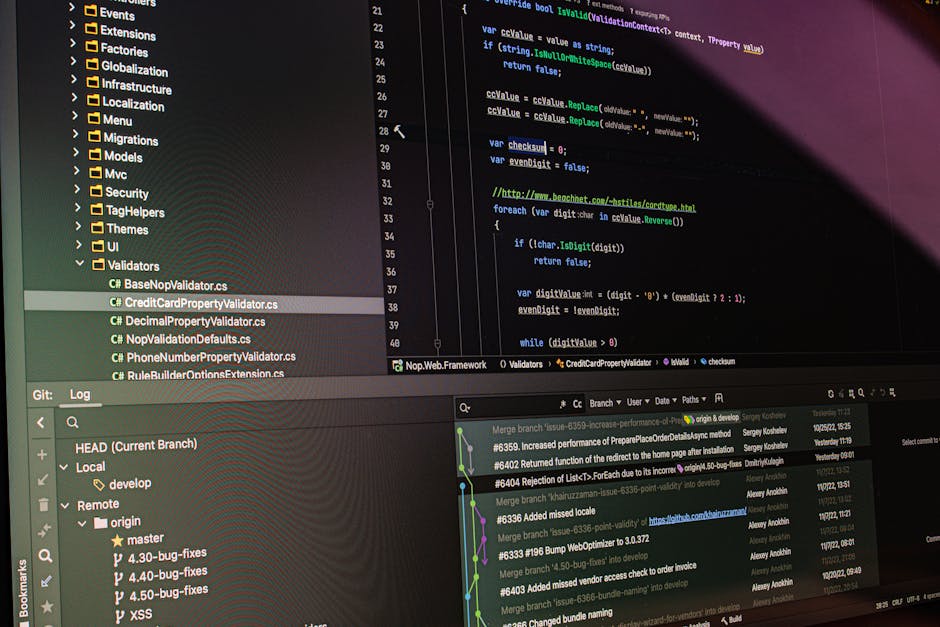
🎨 AI Generated: 14. git reset
यहgit resetकमांड फ़ाइलों को unstage करता है या commits को पूर्ववत करता है, इस्तेमाल किए गए flags के आधार पर।
code
git reset filename.txt git reset --soft HEAD~1 git reset --hard HEAD~1सावधान रहें--hardके साथ क्योंकि यह परिवर्तनों को स्थायी रूप से हटा देता है।
15. git remote
रिमोट रिपॉजिटरी कनेक्शन को प्रबंधित करेंgit remote.
code
git remote -v git remote add origin https://github.com/username/repo.git git remote remove originयह कमांड आपको यह देखने और प्रबंधित करने में मदद करती है कि आपका कोड कहाँ push और pull किया जाता है।
निष्कर्ष

🎨 AI Generated: निष्कर्ष
इन आवश्यक Git commands में महारत हासिल करने से आपके विकास workflow और सहयोग क्षमताओं में काफी सुधार होगा। बुनियादी बातों का अभ्यास करके शुरू करें जैसेinit, add, commit, औरpush, फिर धीरे-धीरे अधिक उन्नत commands शामिल करें जैसेstash, reset, औरrebase जैसे-जैसे आप सहज होते जाएं।
याद रखें, Git एक शक्तिशाली tool है जिसमें इस सूची से परे कई और commands और options हैं। सीखने का सबसे अच्छा तरीका नियमित अभ्यास और प्रयोग के माध्यम से है। test repository में नए commands आज़माने से न डरें, और हमेशा महत्वपूर्ण काम के backups रखें। खुश coding!
🚀 Tech Curve से आगे रहें
रोज़ाना tech insights, ईमानदार reviews और व्यावहारिक guides पाएं।
🔗 Share this article
✍️ Leave a Comment